
Kyty & KytyPS5
Separate the original 2022 project from the actively updated PS5 derivative, then choose the correct release and platform.
Independent project research
PS5 software on a PC is an early, fast-changing experiment. Start with the source, check the exact build, and understand what a reported result actually proves.
PS5 PC Desk follows four project names—Kyty, SharpEmu, PCSX5, and AnyPS5—with direct GitHub evidence. You can compare releases, separate different projects with similar names, and verify a downloaded file locally.
The first four
Separate the original 2022 project from the actively updated PS5 derivative, then choose the correct release and platform.
Check the official C# project, its x64 releases, and the limits of the developer’s rendering reports.
Inspect the identifiable Windows source project and understand why a matching website name is insufficient proof.
Understand a relinker and compatibility libraries, a different workflow from a conventional emulator.
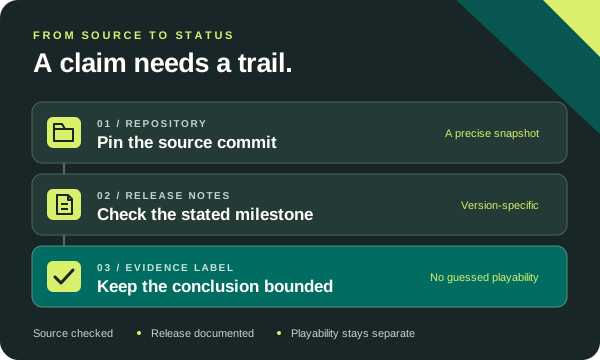
A working release download proves that a build exists. A boot fix describes one step through one game’s startup. A screenshot can show rendering. None of those alone establishes stable gameplay across the PS5 library.
Our first compatibility checkpoint comes from a specific AnyPS5 release-note entry. Additional SharpEmu developer reports are shown separately with their release links, missing context, and unresolved problems. We have not run these games ourselves. See the evidence table before drawing a performance conclusion.
The SHA-256 download checker compares a local file with a checksum you obtain from its publisher. It handles files up to 512 MiB without uploading them. A match confirms identical bytes to that reference; it does not prove the file is safe or that a game will run.
The source evidence reviewed here does not establish broad library compatibility. Treat each game, project, build, operating system, and graphics driver as a separate question. Do not turn a startup milestone into a promise of complete gameplay.
They are separate repositories with different releases and development timelines. Our Kyty guide shows both and explains the distinction.
Start with the repository identified on the individual project page and follow its release links. Check the owner, tag, file name, platform, and any publisher checksum before opening a file. This site provides research and source links; it does not mirror emulator binaries, games, firmware, or keys.
Read our editorial standards or send a source correction if you find a claim that needs updating.
Source snapshot checked on October 14, 2026. Releases and the default branch are recorded separately; upstream development may have moved on.